
1. Login to your WordPress admin dashboard.
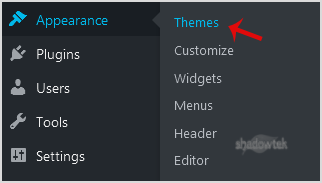
2. Under the dashboard menu, hover your mouse on "Appearance"¬ù and then click on "Themes".
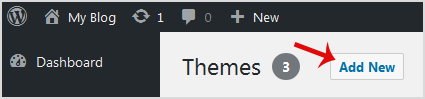
3. Click on "Add New"¬ù.
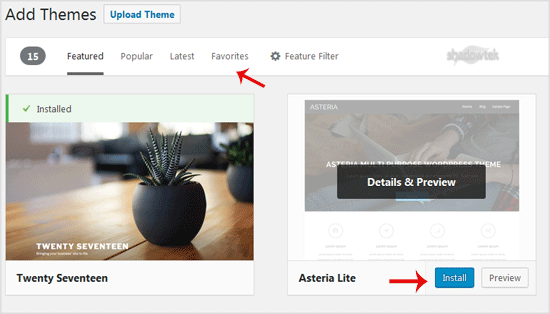
4. In Add themes page, you can search for a theme or browse the themes from "Featured"¬ù, "Popular"¬ù, "Latest"¬ù options. If you hover your mouse over any themes, you will be presented with two options - "Activate"¬ù and "Live Preview"¬ù.
5. Hover your mouse on any theme you like and then click on "Install"¬ù.
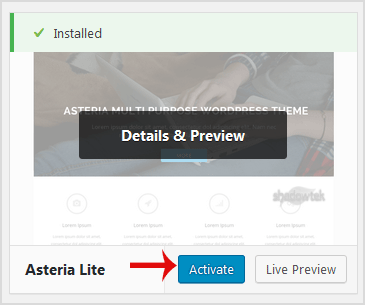
6. A newly installed theme will show you the "Activate"¬ù option. Click it!
Congratulations, you have installed and activated a new theme on your blog.
