
1. Login to your SolusVM Control Panel.
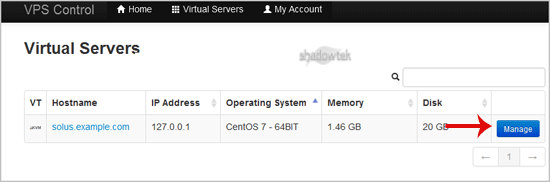
2. If you have multiple VPS, then select the appropriate one.
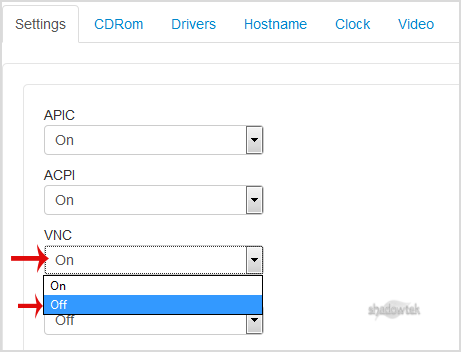
3. Scroll down, under the "settings"¬ù tab you can find APIC, ACPI, VNC or PAE. If you want to turn off VNC, then select the "Off"¬ù option from the Drop-Down menu under the VNC option.
4. After making any changes (on/off), reboot your VPS.
