
1. Login to your SolusVM Control Panel.
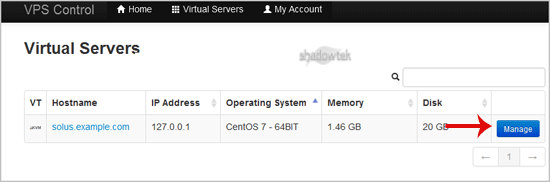
2. If you have multiple VPS, select the appropriate one.
How to Change the Video Type?
1. Scroll down, and under the"Video"¬ù tab, change the type from the drop-down menu to the appropriate video type and then reboot your VPS.

How to Enable the 2D/3D Acceleration?
1. Scroll down under the "Video"¬ù tab, and if you want to Disable the 3D Acceleration, choose the option "Off"¬ù from the dropdown menu.If you want to enable it, chose the "On"¬ù option from the 2D/3D Acceleration.

2. Reboot your VPS.
Note: Virtualization like KVM does not support 2D/3D Acceleration on some operating systems.
